8 Rules to Stop AI Coding from Turning Your Repo Into a Shit Mountain
Foreword: With modern AI coding tools, writing code feels incredible—you can throw together a working prototype in minutes. But once the high fades, you’re left staring at a bloated, over-engineered "AI Code Mountain" that works for now, but could collapse at any second. Sound familiar? AI writes code fast, but it generates slop even faster. After surviving countless late-night refactoring nightmares caused by reckless AI code, I’ve compiled these 8 Golden Rules to help every AI-assisted developer stay sane and keep their codebase clean.
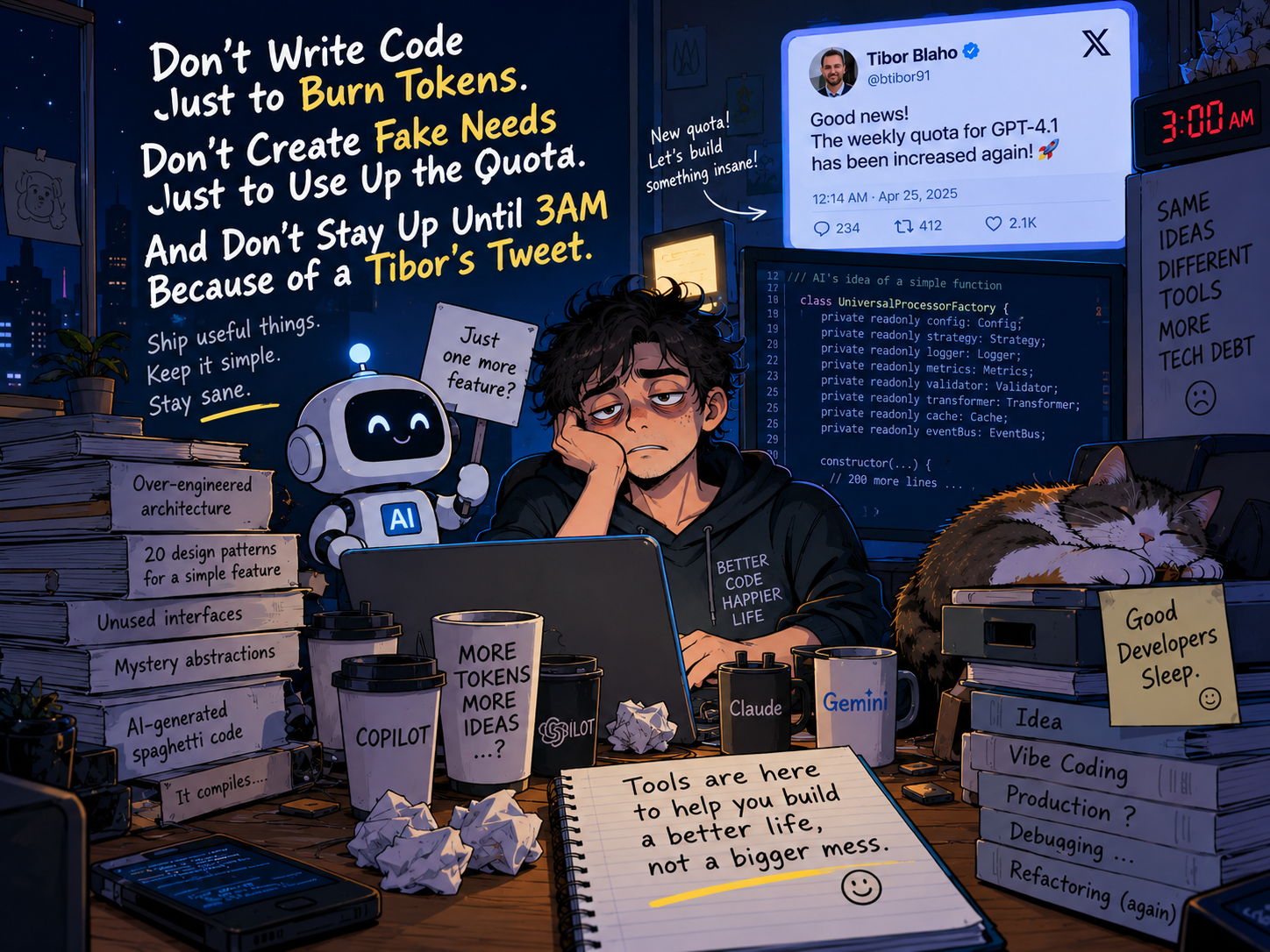
🧪 Quick Quiz: How Bad Is Your "AI Slop" Addiction?
(If you check more than 2 boxes, bookmark this article immediately)
- You don't fully understand the code AI wrote, but if it compiles, you instantly
git commit. - For a simple feature request, the AI generated 5 interfaces, 8 abstract classes, and 20 design patterns.
- When the app crashes, your only troubleshooting strategy is pasting the entire raw error trace back to AI with "Fix this."
- You check X/Twitter daily to see if OpenAI engineers bumped your model limits, feeling like you're losing money if you don't burn all your tokens.
1. Stop Chasing Limits—Maintain Your Pacing
OpenAI engineers constantly post on X: "Weekly limits increased! / Limits refilled! / Restrictions relaxed!"
- The Trap: The moment limits increase, developers enter "berserk mode," asking AI to generate hundreds of lines of overly abstract code for a basic
if/elsecheck, burning through model limits just because they can. - The Consequences: You get the quick hit of consuming tokens, but you skip Code Reviews. Your repository fills up with unused patterns, bloated logic, and hidden tech debt waiting to explode.
- The Rule: Rate limits are just a quota, not a quota you must fulfill. Stick to your architectural rhythm. Less code is more elegant. The more AI writes, the more suspicious you should be.
💡 Survival Motto: The tokens belong to OpenAI; your sanity belongs to you. Every extra 100 lines of AI-generated code costs you 10 hairs during refactoring.
2. Multi-Session Auditing (Cross-Review)
Never keep a single long-running conversation going forever in one AI session!
- Why? As the Context Window grows, the AI suffers from logic drift. It slowly forgets your initial architecture rules and might quietly delete or break existing, functional code.
- The Rule: Implement a "Cross-Auditing" strategy:
- Session A (The Executor): Dedicated exclusively to writing code, modifying functions, and patching bugs.
- Session B (The Auditor): Open a completely fresh, clean session. Feed it Session A’s diffs (
git diff) and modified files, treating it as a ruthless Code Reviewer to find flaws, prune fluff, and catch subtle edge cases.
Use AI to review AI—you’ll find it’s far more brutal toward its own kind.
💡 Survival Motto: Don't stay in a long-term relationship with a single AI session. Its memory fades, and eventually, it won't even remember who it's working for.
3. Stop Building for Yourself—Validate Real Need
Many developers fall into the "vibe coding" trap: building an entire full-stack app over a weekend with Claude or GPT, burning hundreds of dollars in API credits, only for the repo to rot on GitHub with zero real users.
- The Rule: AI lowers the barrier to writing code, but it does not lower the barrier to validating market demand.
- Before paying for flashy AI capabilities, ask yourself: Does anyone actually need this, or am I just enjoying the high of stacking code?
- Build a Minimum Viable Product (MVP) to gather real feedback. Don't burn tokens over-engineering complex architectures for phantom users.
💡 Survival Motto: Lowering the barrier to write code doesn't lower the barrier to real demand. A system without users is just expensive digital trash.
4. Manage Context—Relevance Is King
Dumping your entire codebase into the prompt won't automatically make the model smarter.
- The Pain Point: Irrelevant information drowns out critical execution paths, API constraints, and business logic, while driving up token usage and latency.
- Modern Coding Agents can search repos, track call trees, and read files dynamically. The real challenge is making sure the provided context directly matches the task at hand.
- The Rule:
- Targeted Retrieval: Force the AI to look up only relevant functions, modules, and dependencies for the specific task.
- Incremental Expansion: Start with the immediate scope, then expand outward along the dependency graph only if necessary.
- Prompt Boundary: Set hard constraints (e.g., "Modify only the logic handling this bug; do not touch existing public interfaces or perform unprompted refactoring.").
💡 Survival Motto: Context size can be huge, but junk context must equal zero.
5. Plan First—No Blind Code Changes
Telling an AI "Refactor this module" or "Fix this bug" directly is a recipe for disaster.
- The Pain Point: The AI might modify a dozen files at once, confidently announce "Done!", and leave you with no easy way to verify what changed or why everything broke.
- The Rule: Enforce a strict "Plan First, Act Later" policy.
- Before letting it edit code, ask: "What is the root cause? How do you plan to fix it? Which modules will be touched? Which behaviors must remain unchanged?"
- Only after you review and approve the blueprint do you allow it to touch the code.
💡 Survival Motto: An AI modifying code without a plan is as terrifying as a construction crew working without blueprints.
6. Never Merge Without Tests
The biggest illusion of AI-generated code is: "No compilation errors means it works."
- The Pain Point: AI code often looks immaculate and type-checks perfectly, yet silently fails on subtle edge cases, leaving behind nightmare bugs that take hours to trace.
- The Rule: "No Test, No Merge."
- Whenever the AI writes core logic, immediately follow up with: "Write unit tests covering edge cases for this function and run them to prove they pass."
- Do not accept "Tests should pass." Demand "Tests passed." AI promises mean nothing; green test runs mean everything.
💡 Survival Motto: When an AI says "It should work," it's the equivalent of a human developer saying "Well, it worked on my machine."
7. Atomic Commits—Treat AI Like an Intern
If you let an AI Agent modify code for hours without a single commit, disaster is right around the corner.
- The Pain Point: AI will subtly alter global variables, tweak hidden configs, or refactor unrelated logic while trying to fix something else. Hours later, when the project won't start, you won't know which step broke it.
- The Rule: Treat AI like a hyperactive intern.
- Create a clear Git checkpoint every time the AI completes a small, verifiable task.
- Keep commits atomic: one focused task, one clear scope, easy to review.
- If the AI goes off the rails, simply
git reset --hardback to the last clean checkpoint and start fresh.
💡 Survival Motto: Commits are your save points in the AI coding era. Don't wait three hours to hit save.
8. Brainstorm in ChatGPT, Execute in Your Local Agent
In complex software projects, "planning the architecture" and "writing the code" are two fundamentally different tasks:
- Stage 1 (Design): Understanding the problem, comparing approaches, mapping out architecture, evaluating risk.
- Stage 2 (Build): Reading files, editing code, running CLI commands, executing tests.
Currently, the landscape of AI tools is awkwardly fragmented:
📊 AI Coding Tool Matrix & Trade-offs
| AI Tool / Model | Architecture & Ideation | Local Execution | Token Cost Experience | Verdict |
|---|---|---|---|---|
| Claude (Fable) | ⭐⭐⭐⭐⭐ | ⭐⭐⭐ | 💸💸💸💸💸 | Incredible reasoning, but API bills will give you heart failure. |
| Google Gemini | ⭐⭐⭐ | ⭐ | 💰💰 | Fantastic for docs, copy, and visuals; avoid for heavy refactoring. |
| Codex / Local Agents | ⭐⭐ | ⭐⭐⭐⭐⭐ | 💰💰 | Great execution, but acts like a rigid worker that piles up slop. |
| ChatGPT + Agent Helm | ⭐⭐⭐⭐⭐ | ⭐⭐⭐⭐⭐ | 🟢 Reuse Subscription | The ideal workflow: Deep Web-based ideation meets local execution. |
💡 The Solution: ChatGPT for Strategy, Local Agents for Execution
Web-based ChatGPT excels at complex system design and deep architectural discussions without per-token API charges. Local Agents excel at reading your disk, modifying files, and running test suites.
Why not bridge the two?
That’s why I built Agent Helm—an open-source toolkit designed to bridge ChatGPT directly with your local workspace:
┌─────────────────────────┐               ┌─────────────────────────┐
│     ChatGPT Web UI      │               │ Local Dev Environment   │
│ (Deep Reasoning & Plan) │               │ (Files, CLI, & Diagnostics)│
└────────────┬────────────┘               └────────────▲────────────┘
             │                                         │
             │ 1. Brainstorm Architecture              │ 3. Sync Code &
             │    (No Token API Bills)                 │    Run Tests
             ▼                                         │
┌──────────────────────────────────────────────────────┴────────────┐
│                 ⚡ Agent Helm (Bridge Layer)                       │
│  Eliminate Copy-Paste • Direct Local Agent Execution • Zero API Costs│
└───────────────────────────────────────────────────────────────────┘
🛠️ The Agent Helm Ecosystem:
- 🌐 Chrome Extension: agent-helm-extensions
Connects ChatGPT Web UI directly to your local project, eliminating manual copy-pasting.
- ⚡ DSH Plugin: dsh-with-chatgpt
Finalize your plans in ChatGPT, then dispatch actionable tasks straight to local DSH.
- ⚙️ CLI Engine: agent-helm
Handles local bridging, execution sandboxing, and permission control.
🛡️ Security & Privacy:
- Zero API Cost Inflation: Uses your existing ChatGPT Web subscription—no extra per-token API fees.
- Local Granular Permissions: Code modifications and CLI executions are governed by local authorization policies, so no AI runs arbitrary commands without your consent.
Unexpected Side Effect: It cured my habit of checking rate limits on X every five minutes. I do the heavy architectural thinking in ChatGPT Web, and push discrete code updates to my local agent. No more late-night refactoring panics triggered by a random tweet from a model provider.
💡 Summary
AI is more than capable of writing good code today. What causes disasters isn't the AI's capability—it's letting it write code too fast, too much, and without boundaries.
- Brainstorm when designing; enforce strictness when executing.
- Don't write code just to burn tokens, don't invent features just to use quotas, and stop staying up until 3 AM over a model limit update.
(P.S. This article was written by Gemini—see? I told you it was great for copywriting!)